
Docs Running a server
Registering a server
Registering a server on Team Vanilla's control panel, trading the code for the server's id, and what the panel does after.
Every server is registered to a Team Vanilla account: its owner's. The registration, not a file, makes you the Owner, so losing server.cfg never loses the server and editing it never grants it.
1. Get a code
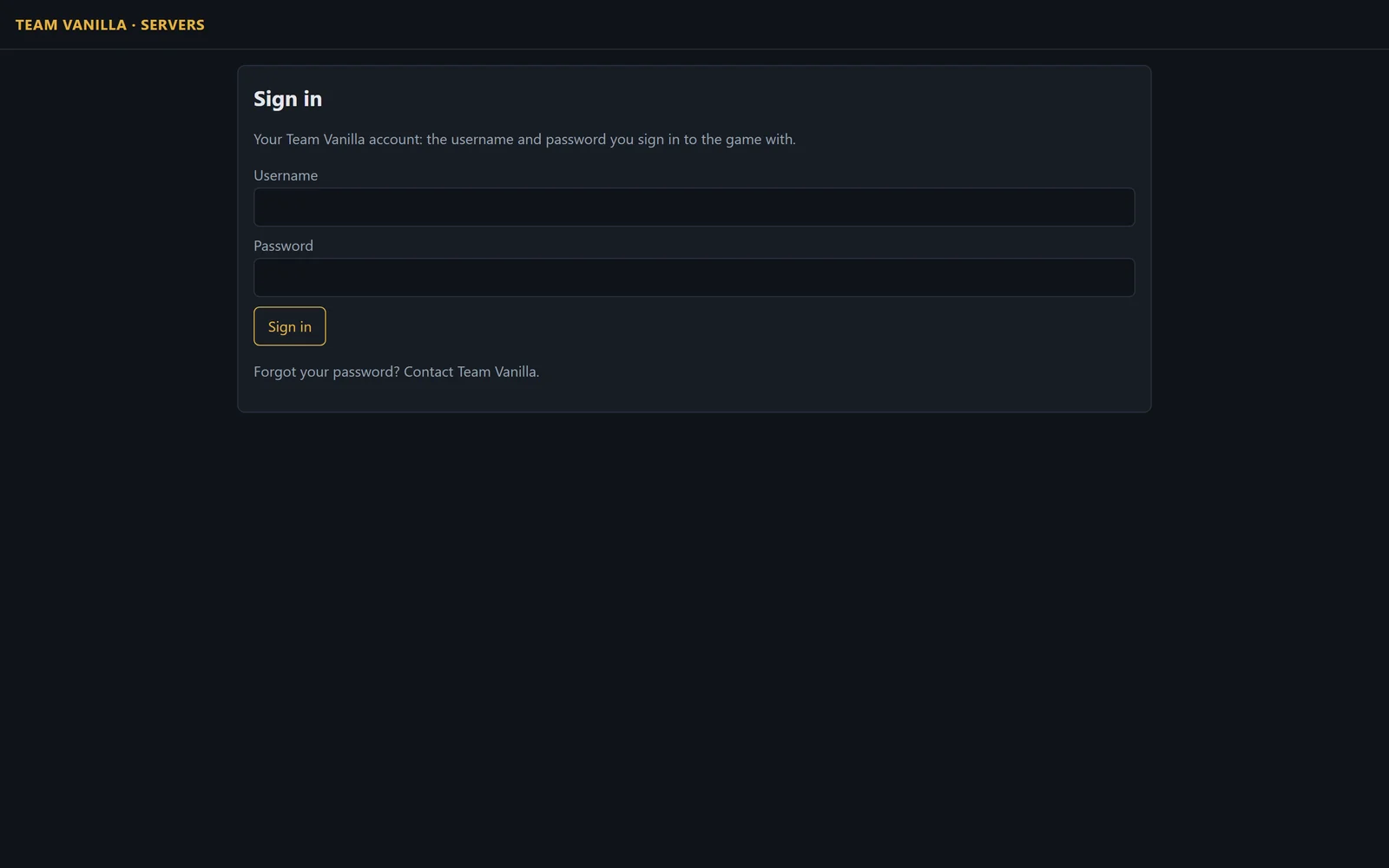
- Sign in to the control panel at https://api.teamvanilla.dev/ucp with your Team Vanilla account: the username and password you sign in to the game with.
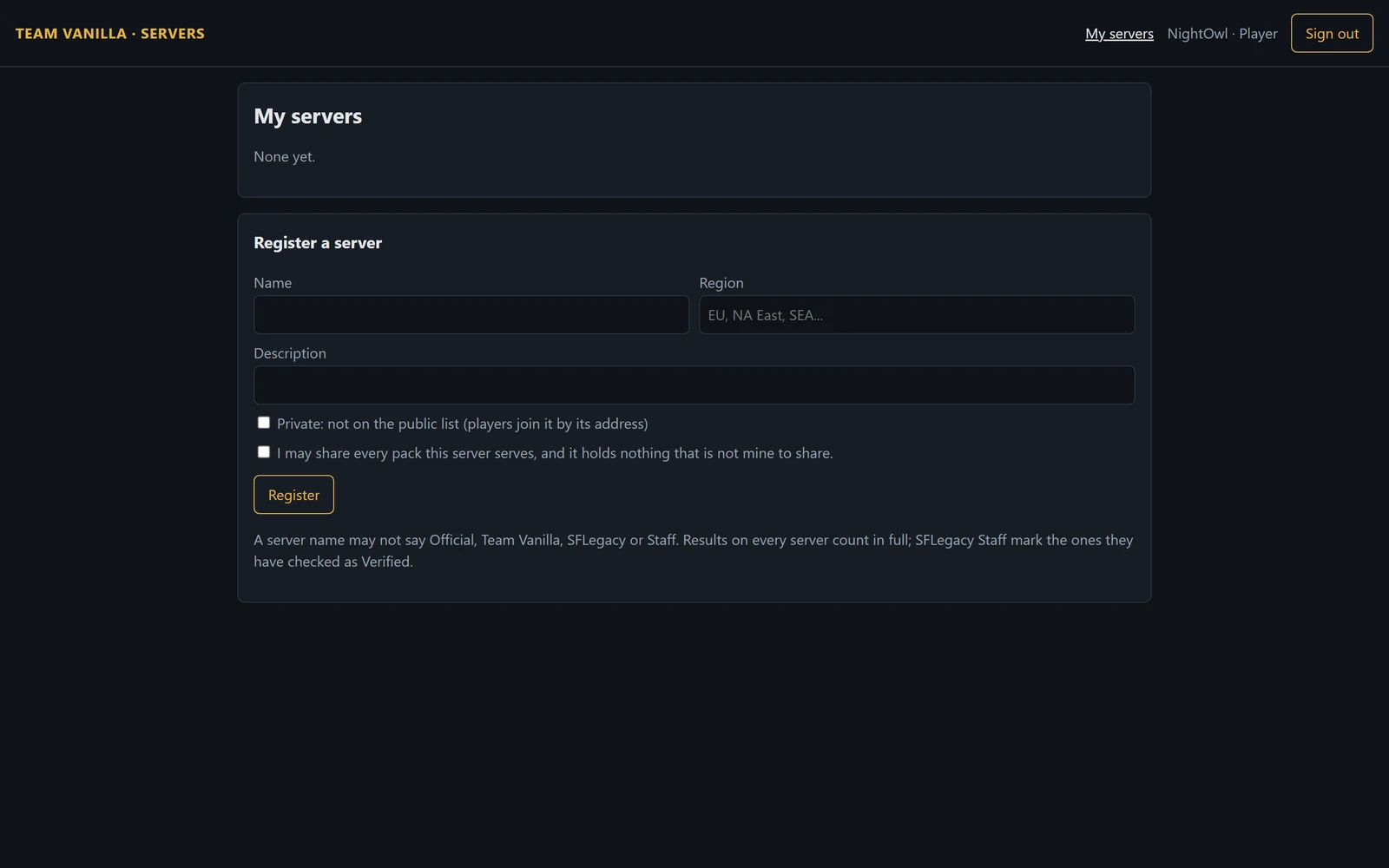
- Choose Servers, then Register a server: its name, region and description. Confirm you have the right to share whatever packs it will serve.
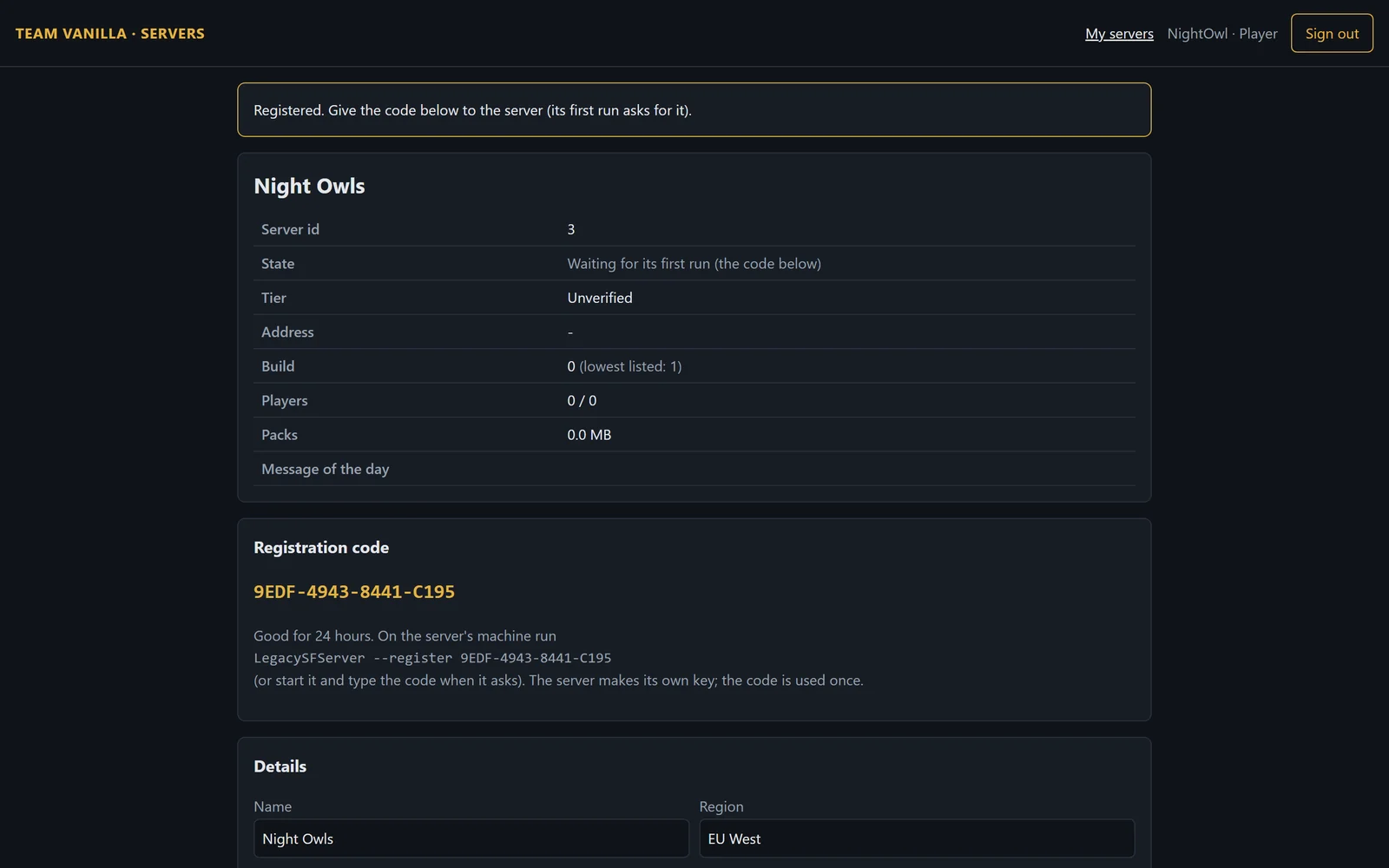
- You are given a registration code, good for 24 hours and used once.
2. Give it to the server
On the server's machine, in its folder:
Windows:  LegacySFServer.exe --register CODE
Linux:    ./legacysf-server --register CODE
or start the server and type the code when it asks. It trades the code for its id, using the key it made on its first run, and writes the id into server.cfg (server_id). The code is spent.
On Linux as a service, register as the service's own user, in its folder:
sudo -u legacysf ./legacysf-server --register CODE3. Start it
Start the server normally. It tells Team Vanilla it is up every 30 seconds, and Team Vanilla checks it can be reached from the internet before it lists it. Its log says whether the heartbeat is accepted and whether it was reached; see ports and firewalls if not.
On the control panel after
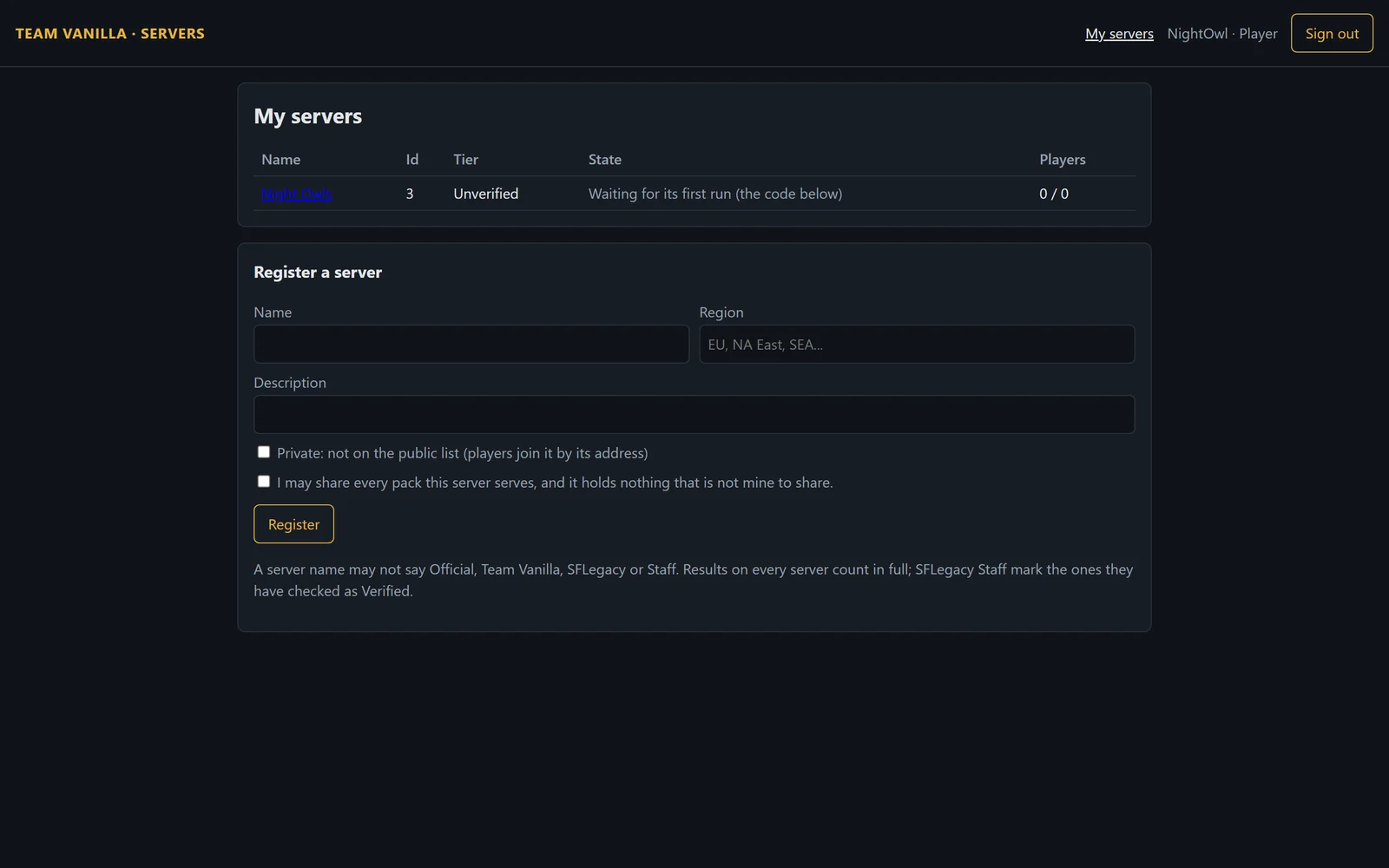
- My servers: each of your servers, its id, its tier, whether it is up and how many are on it.
- Details: its name, region and description.
- Key: a key you think was copied can be revoked. The old key stops working at once; run the server with a new code.
- Verified: ask SFLegacy Staff to look at the server. A new server is listed as Unverified; Staff may mark it Verified. Nothing else changes with the badge, and progress counts in full from the first match either way.
A server that sends no heartbeat for 60 days is closed by Team Vanilla, its players refunded for its own items, and its id never reopened. The control panel warns its owner at 30, 45 and 55 days.