
Docs Playing
Options
The options window page by page: the frame limit, the renderer and the screen, graphics, sound, the game, the crosshair, and what was left out on purpose.
The options are the original's own USER SETTING window, in its own plates: System, Controls and Macro across the top, Default, Credits, Confirm and Cancel along the bottom. Whatever the pointer rests on is explained in the line between Credits and Confirm. The server list's first page has an Options plate too, for a screen, a renderer or a controller that needs setting before you sign in.
The defaults are the game as it was: the same filtering, every effect on, no anti-aliasing, the picture copied to the window pixel for pixel.
The frame rate
The original client holds itself to 32 frames a second. Soldier Front Legacy has no cap of its own.
- Frame limit: 30 to 360 frames a second, 144 to begin with. It applies while vertical sync is off.
- Vertical sync: on, the game keeps to the screen's own refresh.
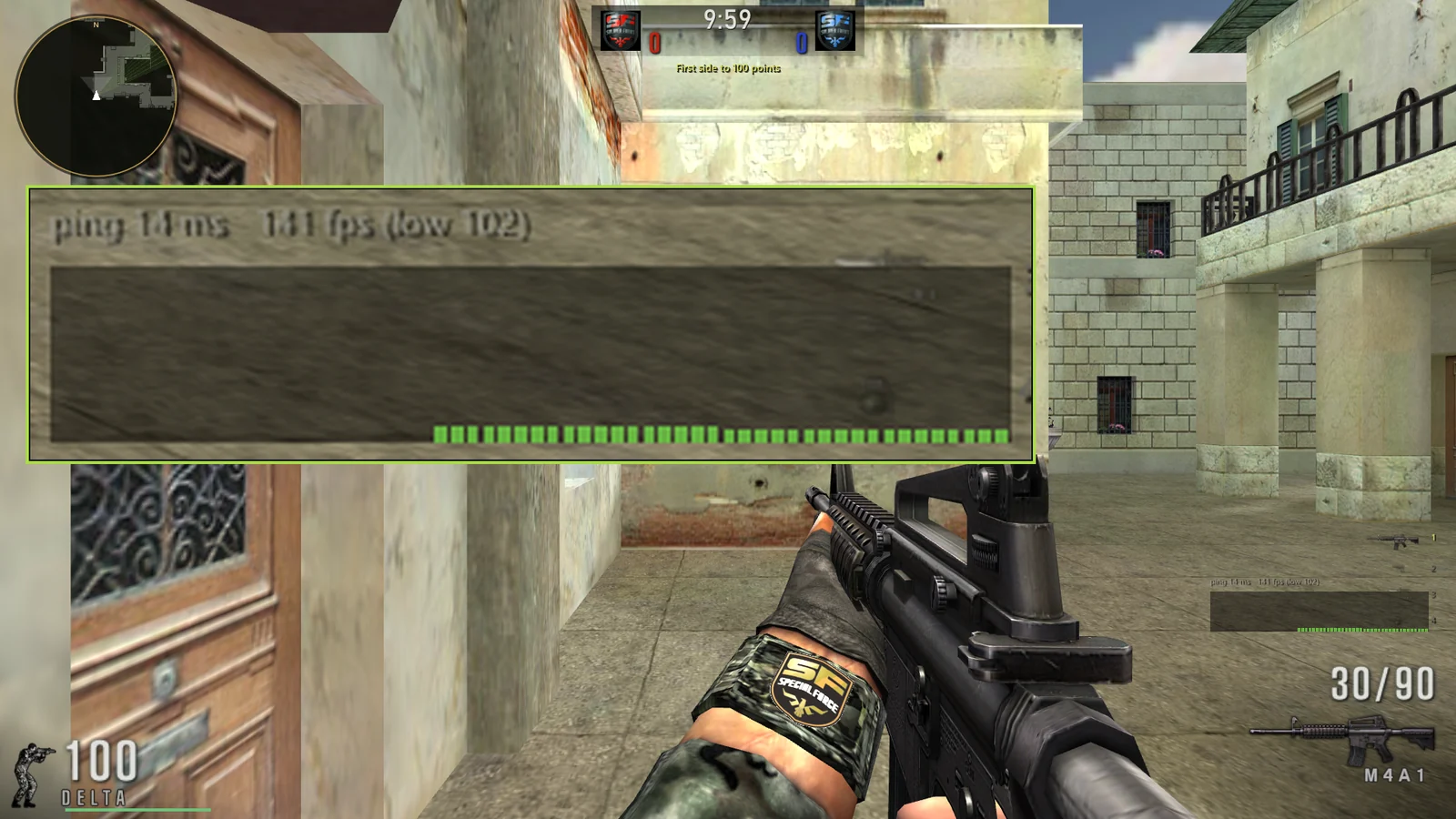
- Show the frame rate (System, Game) puts the frames a second and the renderer at the foot of the lobby, and Show the net graph draws the ping and the frames a second of the last few seconds in a match, with the lowest of them.
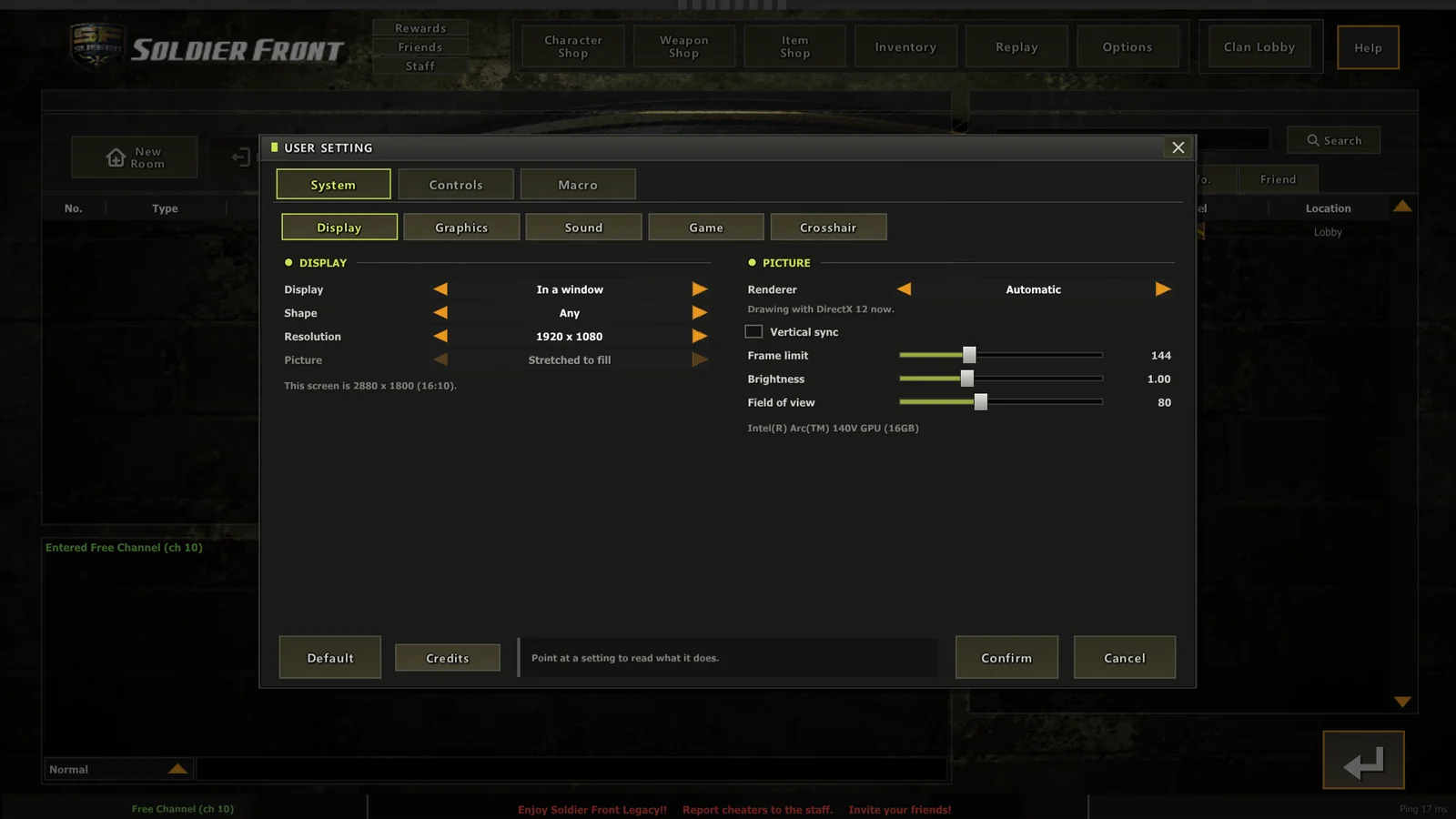
System, Display
- Display: in a window, or the whole screen. The whole screen is borderless, so it switches no mode and Alt+Tab is instant.
- Shape: Any, 4:3, 5:4, 16:10, 16:9 or 21:9. It sorts the Resolution list.
- Resolution: the usual sizes of each shape and the screen's own, never larger than the screen. In a window it is the window's size. On the whole screen it is the size the match is drawn at; the lobby and the HUD are always drawn at the screen's own size, so they stay sharp.
- Picture, for a picture of another shape than the screen: Stretched to fill, as the original looked on a wide screen and as many of its players chose to play, or Black bars, kept in shape.
- Renderer: Automatic, DirectX 12, DirectX 11 or OpenGL. Taken when the game starts; Confirm offers to restart. One that cannot start falls back to the next and says so.
- Brightness and field of view.
The game sees real pixels at any Windows scaling: a 2880 x 1800 screen at 125% is drawn at 2880 x 1800, not scaled up from 2304 x 1440.
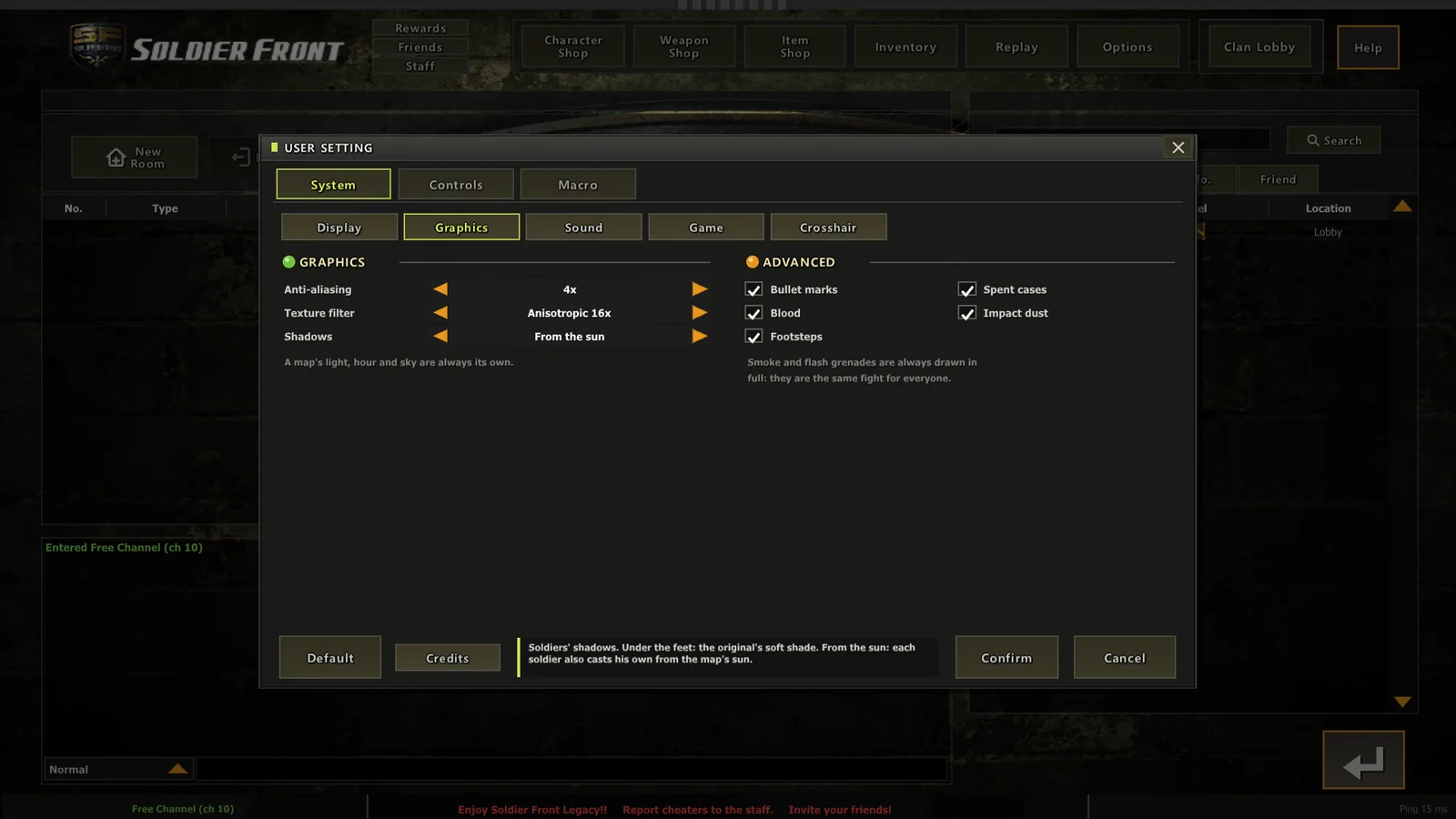
System, Graphics
- Anti-aliasing: off, 2x, 4x or 8x.
- Texture filter: trilinear, or anisotropic from 2x to 16x (8x, as it was, to begin with).
- Shadows, the soldiers': off; under the feet, the original's own soft shade; or from the sun, where each soldier and the gun in his hand casts his shadow from the map's own sun. A shadow only takes away sun the map's light put there, so a map's light stays the map's.
- Bullet marks, spent cases, blood, impact dust and footsteps: each yours alone to see, on or off.
System, Sound
The volumes, the lobby's music, and the radio voice: English, German, Korean or Spanish, each in a man's and a woman's voice as the soldier speaking is.
System, Game
- Always run, and hide the weapon in my hands: the original's.
- Scope: press in, press out (the AWP's goes in two steps; every other scope straight to its full power) or hold to look.
- Scope speed: how fast the aim turns through a scope, times the weapon's own. 1.00 is the original.
- Weapon view: the lens the gun in your hands is drawn through, 40 to 80 degrees (F8 in a match). The world keeps its own field of view.
- Show the frame rate, show the net graph, damage numbers, remember my account name, sharp interface, global chat, room invitations, and who may see where you are.
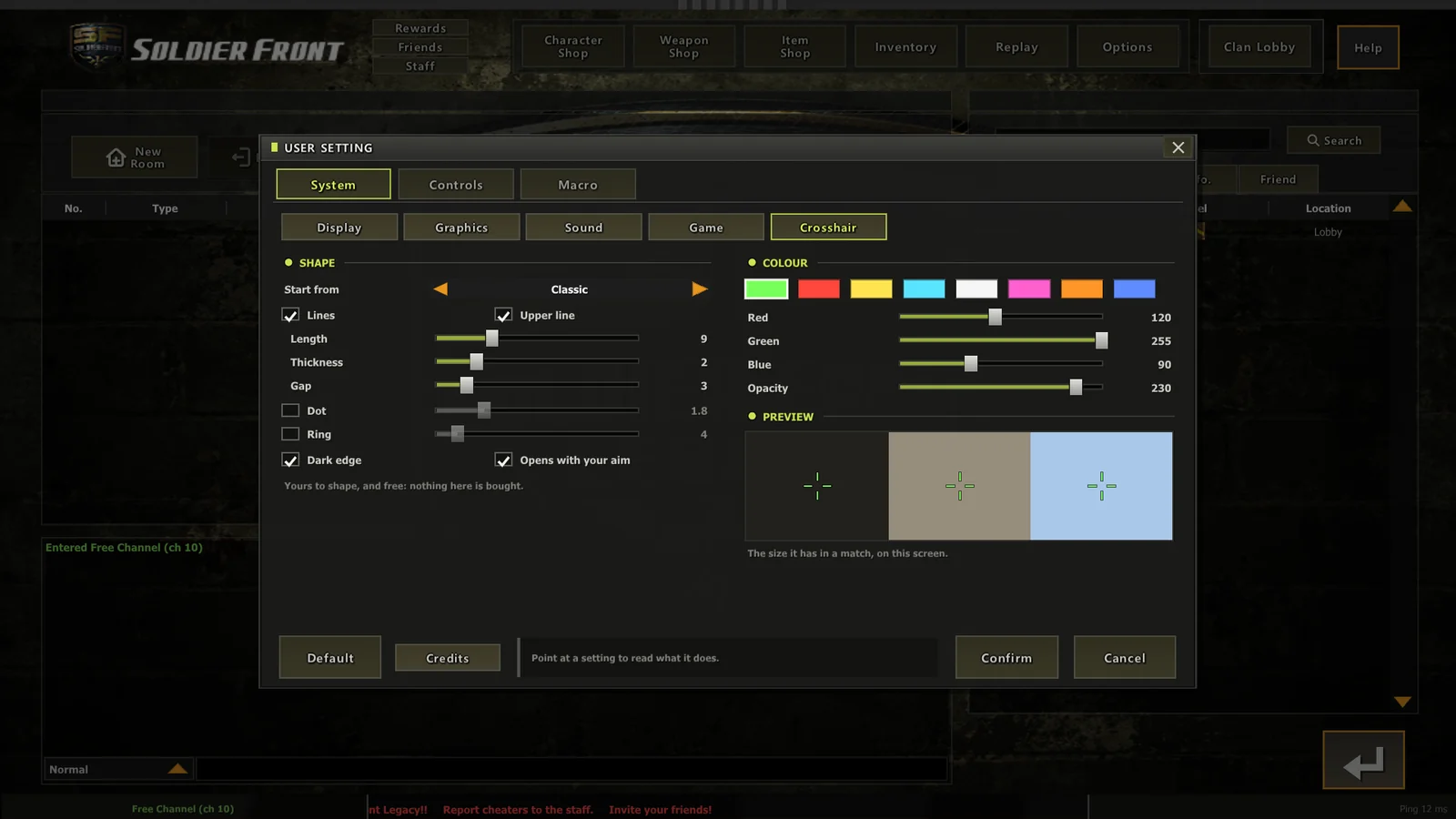
System, Crosshair
Your own, and free. Start from a shape (Classic, the original's four green ticks that open with your aim; Classic with dot; Circle; Cross; Dot; T; Fine), then set the lines (length, thickness, gap, the upper one or a T), a dot, a ring, a dark edge, whether it opens with your aim, and its colour and opacity, with a preview beside it. Nothing it offers marks an enemy or shows your aim tighter than it is.
Controls
Basic Controls: every action and its key (the list). Controller: the sticks and every action's button. Radio Message: the lines of the three radio lists. On Android, Touch too: the size, look speed and opacity of the touch controls, and Arrange on the screen, which moves and sizes each one (on a phone).
Macro
Lines of chat on keys of their own, as the original had them.
Left out on purpose
| The original's setting | Why it is not here |
|---|---|
| Texture detail | the textures are 256 to 512 pixels; no graphics card of today needs them smaller |
| Lightmaps on or off | off is a map lit evenly all over: an advantage in a dark map |
| Smoke detail | thin smoke is seeing through a smoke grenade |
Smoke grenades and flash-bangs are always drawn in full, and no option changes a map's light, hour or sky. The room's Day or Night is the host's choice, for everyone in it.