
Docs Start here
Getting started
From the download to your first match: unpacking the game, making your account and soldier, and choosing a server.
What you need
Soldier Front Legacy plays on Windows, Linux, macOS (Apple Silicon) and Android; platforms says what each one needs. The steps here are Windows', and the rest of the game is the same everywhere. On Windows:
- Windows 10 or 11, 64-bit.
- A graphics card with DirectX 11. DirectX 12 is used where the card offers it, and OpenGL is the last fallback.
- Soldier Front installed: the game plays the data of your own installation.
- A keyboard to sign in and type, and a mouse or a controller to play.
Download and unpack
- Download
SoldierFrontLegacy-Windows.zip(6.3 MB) from the download page. You can check it against the SHA-256 shown there. - Open your Soldier Front folder: the one holding the
datafolder, or theClientfolder that holds it. Drag everything in the zip into it. Nothing of Soldier Front's own is replaced. Avoid a folder underProgram Files: the game keeps its settings beside itself. - Run
legacysf.exethere. Nothing is installed, and nothing is written outside the folder except the packs servers send you, in%LOCALAPPDATA%\LegacySF.
Kept anywhere else, the game asks where Soldier Front is installed the first time, and remembers.
On Linux, unpack the archive into your Soldier Front folder (copied from Windows as it is) and run ./legacysf there. On Android, open the package on the phone and allow installing it: it carries the game data itself, and the first start sets it up, once.
The game checks its data as it starts. If a file is missing, it says which.
The first page
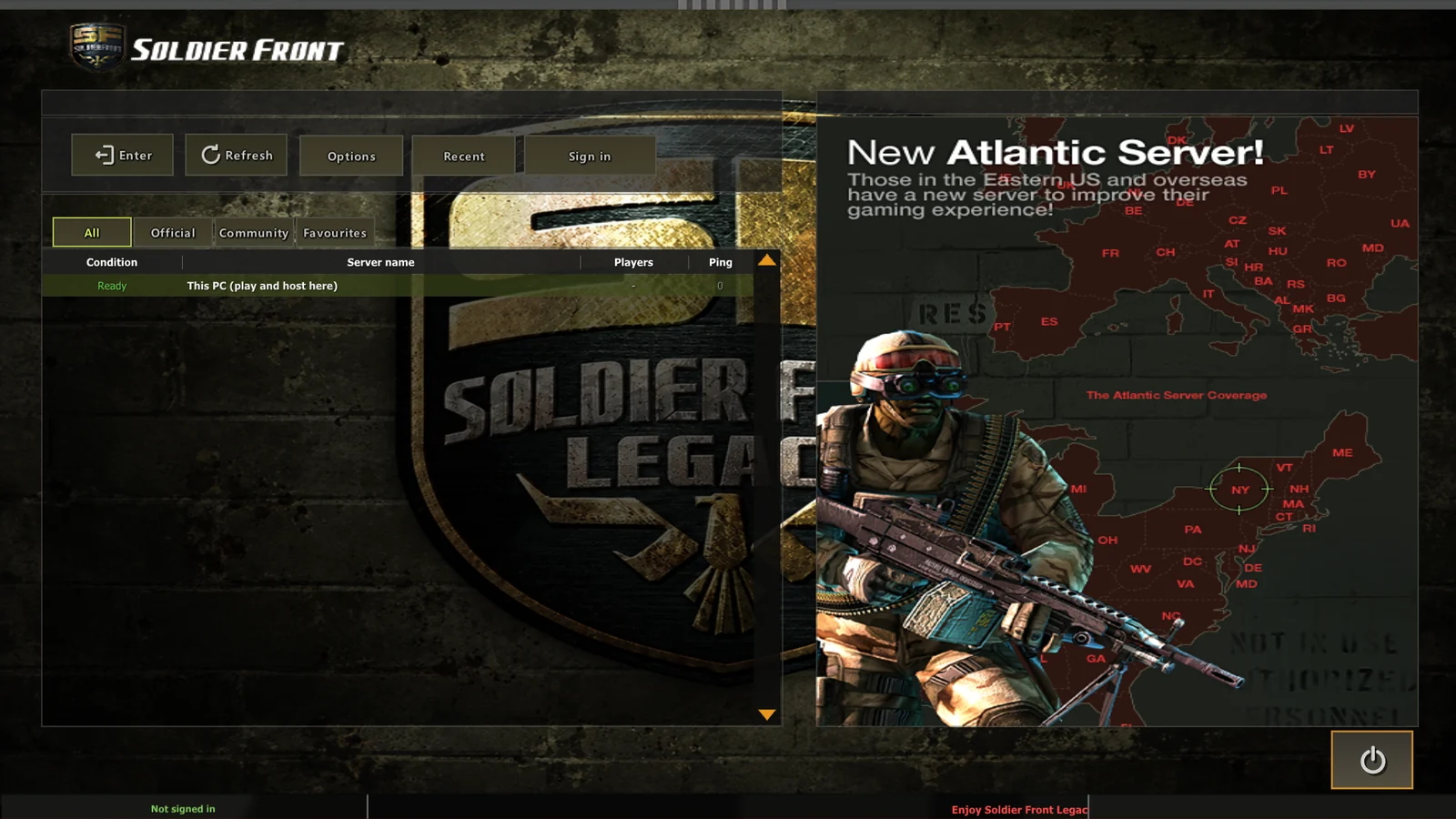
The first page is the server list, with Enter, Refresh, Options, Recent and Sign in along the top, and the tabs All, Official, Community and Favourites over the list. Options is here too, so you can set the screen, the renderer or a controller before you sign in.
Make your account
- Choose Sign in, then make an account: a username and a password. There is no email address and no recovery code.
- Tick Keep me signed in if this PC is yours. The sign-in is kept in the game's folder, in
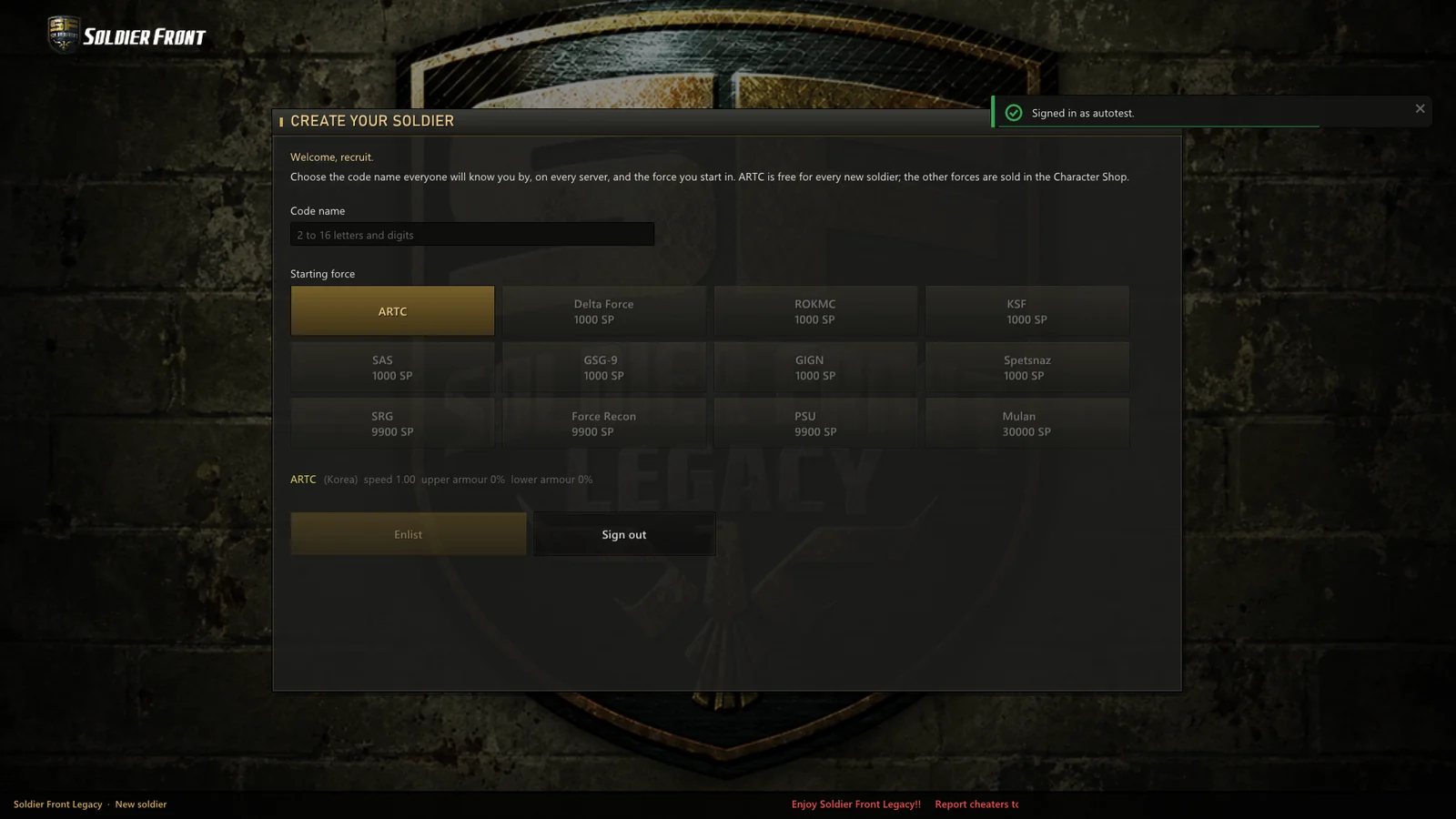
session.dat. - Name your soldier: a code name of 2 to 16 letters and digits, the name everyone knows you by on every server. Then the force you start in. ARTC is free for every new soldier; the others are sold in the Character Shop.
Your account, rank and record work on every server. Your account has the rest.
Choose a server
- Team Vanilla's own servers are first in the list, marked Official, and community servers follow.
- Enter joins the server picked. A server with its own content asks before it downloads more than you have allowed; see packs.
- This PC (play and host here) is a server on your own machine. Play it alone with bots, or have friends on your network join you. Nothing played on This PC counts toward your rank, record or SP.
- Favourites and Recent keep the servers you come back to. A server not on the list can be joined by its address.
The channels and the lobby
A server opens on its channels: the original thirteen to start with (Training Room, NCO & Officers Lounge, Sharpshooter Club, Clan War, Scrim and the Free Channels), each with its own rank range. Choose one to reach its lobby: the rooms, the soldiers in the channel, chat, and the plates along the top for the shops, the inventory, Replay, Options and the Clan Lobby.
New Room makes a room of your own, or join one from the list. In the waiting room choose your force and type, press Ready, and the room's master starts the game.
Next
- Controls and controllers: every key and button.
- Options: the frame limit, the screen, the renderer.
- Game types: how each one is won.