
Docs Playing
Replays
The recordings of the matches you played: where they come from, keeping them, and watching them again.
Every match is recorded on the server it was played on, and the server keeps its recordings 7 days. Anyone may have the recording of a match they played in, once it is over. Nobody is handed a match they were not in, nor one still being played.
The Replay page
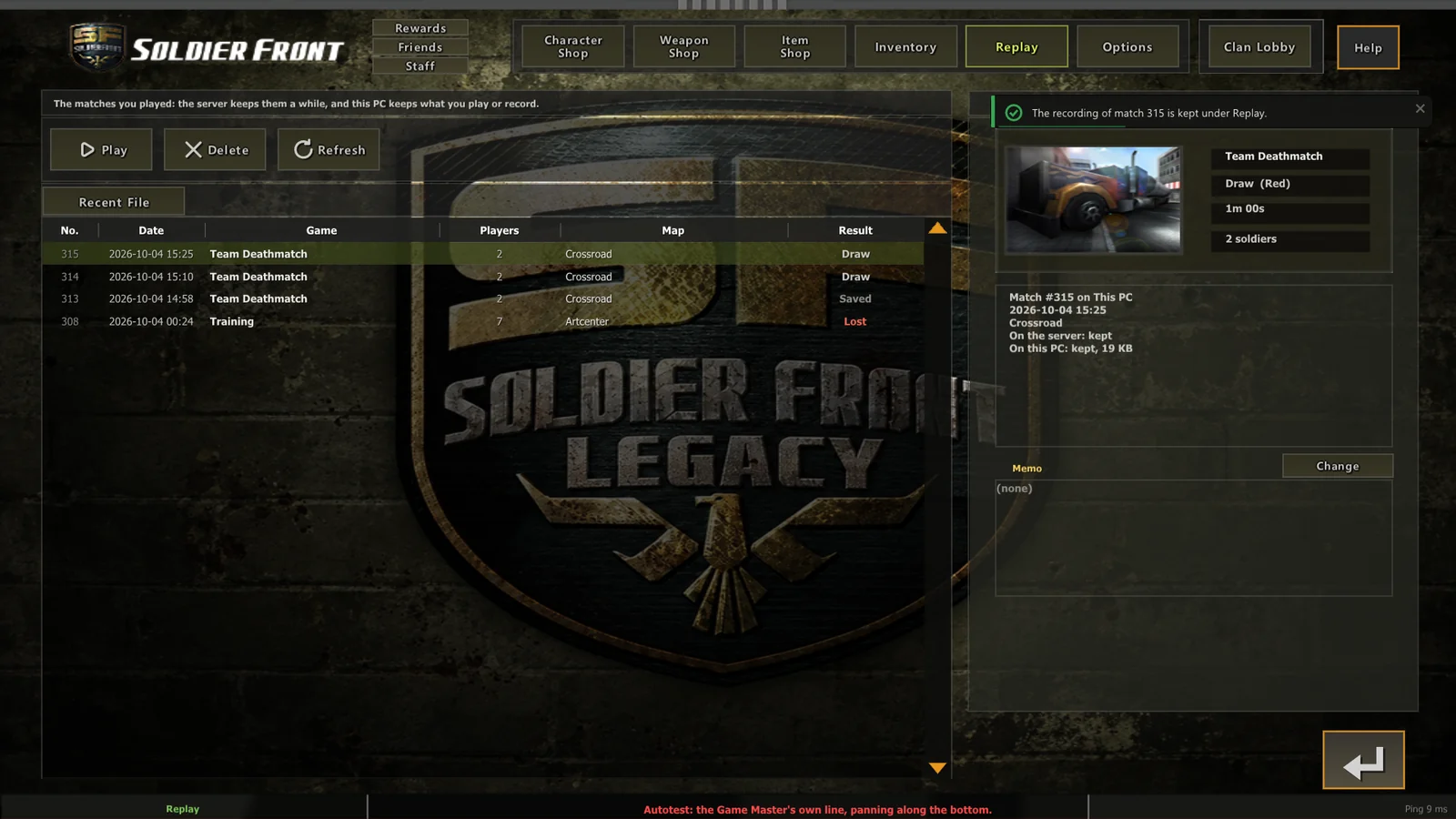
The lobby's Replay plate lists the matches the server still keeps that you were in (the game type, the map, how many played, how it ended for your side) and the copies already on this PC.
- Play plays this PC's copy, or downloads the server's first and keeps it.
- Delete deletes this PC's copy. The server keeps its own until its 7 days are up.
- A memo of your own can go with each recording.
- In a waiting room, the Record plate, lit, keeps every match you finish on this PC without being asked.
The copies sit beside the game's settings.cfg in replays/, one file a match, and the memos in replays/memos.cfg.
Watching
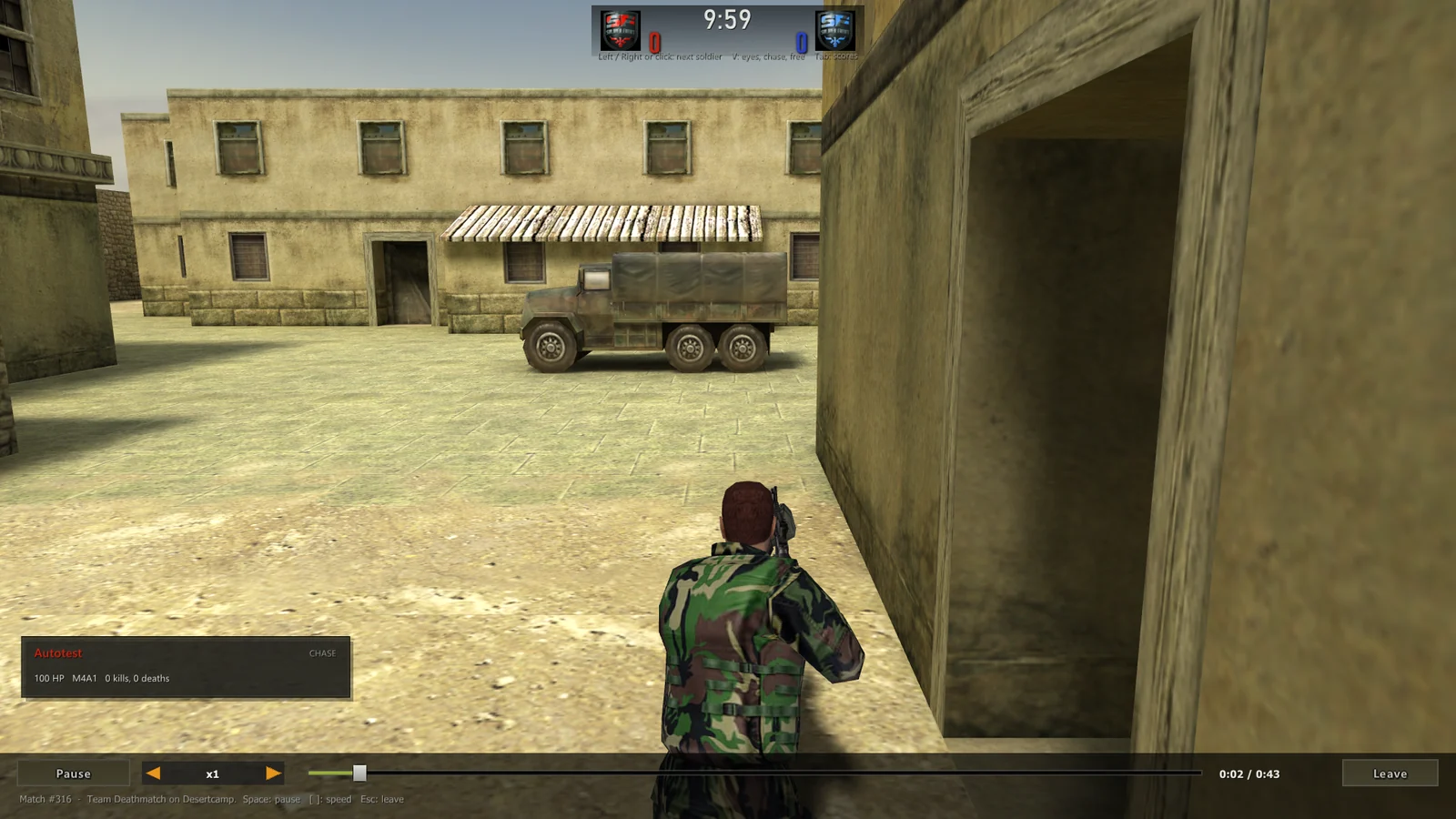
A recording plays on the Replay screen with its time line along the bottom: pause, play, wind on and back. Watch through a soldier's own eyes or follow them from behind, and step from one soldier to the next.
A match played with a server's own packs is recorded with their fingerprints, and plays back only where those packs are: on that server, or with the packs still in your cache.
For staff
A server's staff, and SFLegacy Staff, can watch any match the server keeps, from the staff panel's Recordings tab, to look into a report.